
Your finances shouldn't live across five spreadsheets.
SoloLedge brings freelancer financial management — invoices, payments, expenses, cash flow and what you can safely spend — into one system you deploy and run on your own cloud accounts.
The problem
Freelance money is scattered by default
Invoices in one document. Payments half-remembered in a banking app. Expenses in a folder of receipts. TDS worked out at year-end from scratch. No clear answer to the only question that matters day to day.
"What have I actually been paid?"
Billed is not received. Without one ledger, the gap between the two stays invisible until it's a cash-flow problem.
"What do clients still owe me?"
Outstanding invoices and how overdue they are get tracked in your head — or not at all.
"What can I safely spend right now?"
Cash in the account isn't spendable cash. Some of it is tax you'll owe, some is already committed.
The solution
One system, running on your own cloud accounts
SoloLedge is a single web app for your freelance finances. You deploy it to your own Supabase project and your own host, sign in, and every client, invoice, payment and expense lives in one place — with the dashboard doing the arithmetic you'd otherwise redo by hand.
- Money received vs. money still owed, always current
- A safe-to-spend figure with every term shown
- Multi-currency invoicing with FX rate and fees preserved
- Your data in a Supabase project only you control
Who it's for
Built for one person running their own practice
Indian freelancers
Designers, developers, writers and consultants who invoice in ₹ and need TDS and GST figures recorded as they go.
Cross-border independents
Anyone billing US, EU, UK or UAE clients who needs the original currency, FX rate and fees kept on every payment.
Spreadsheet outgrowers
You've built the spreadsheet three times. You want a real ledger without moving your data into someone else's cloud.
Self-hosting professionals
You'd rather own the deployment and the database than rent another SaaS seat.
Not built for agencies, multi-user teams, or as a replacement for your accountant. SoloLedge is a single-user tracking and planning tool.
Features
What's in SoloLedge V1.0.0
Every item below is implemented in the product you receive. Feature status is documented file-by-file in the included docs/FEATURES.md.
Dashboard & safe-to-spend
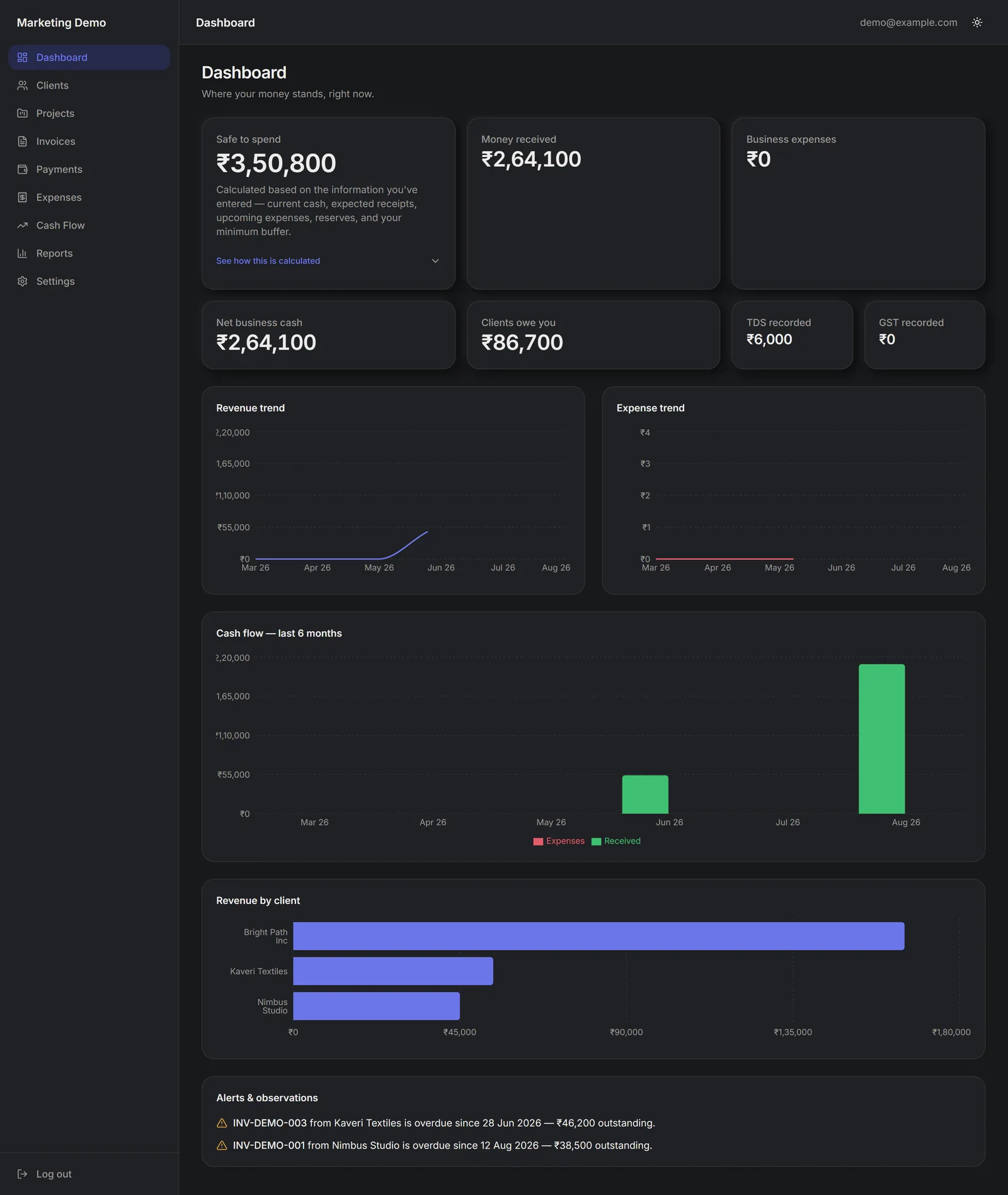
Headline numbers — money received, business expenses, net cash, clients owe you, TDS and GST recorded — plus a safe-to-spend estimate with an expandable breakdown of every term.
Clients
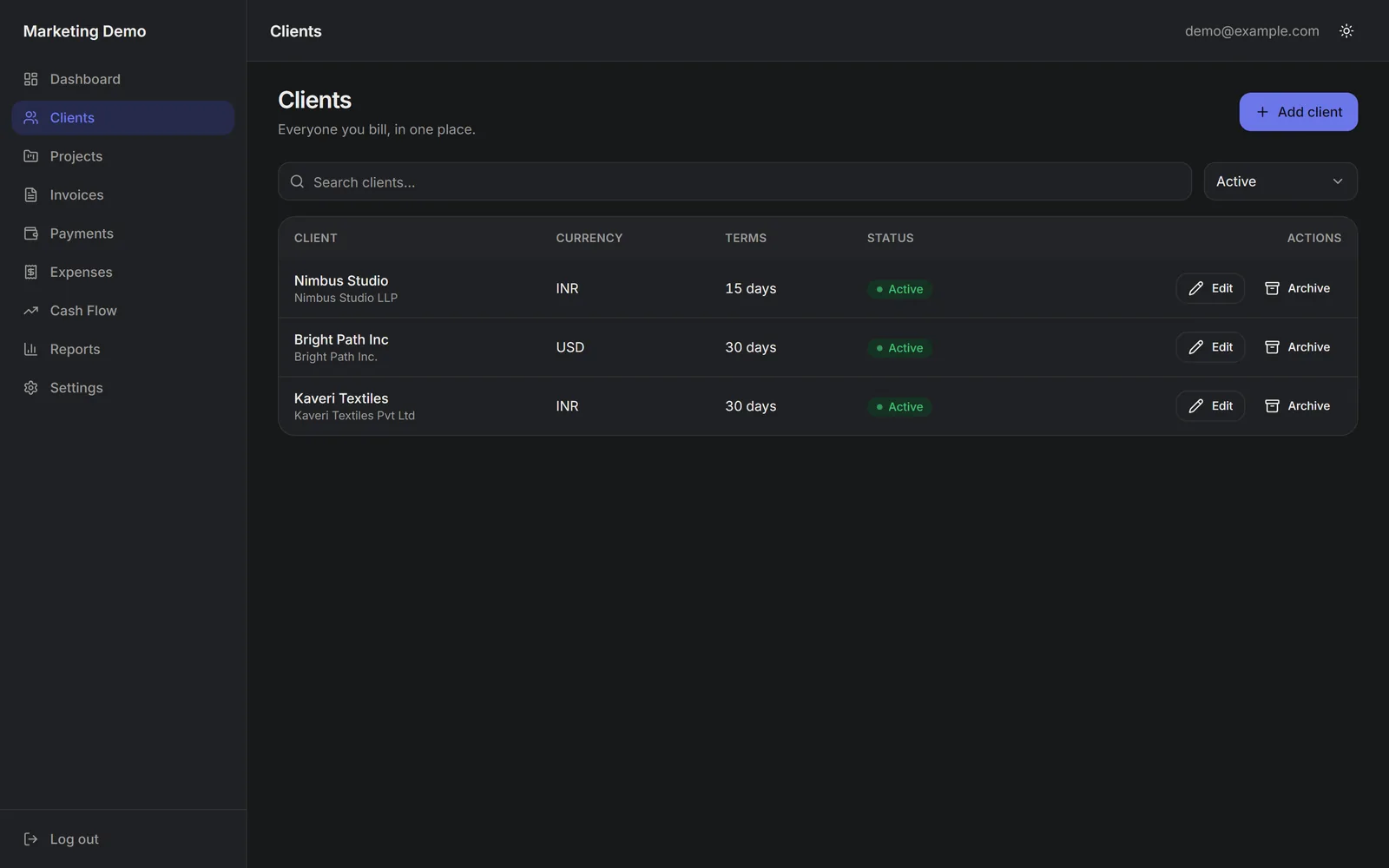
Add, edit and archive clients. Per-client detail view: revenue, outstanding balance, projects, invoices, payments and effective hourly rate.
Projects
Link projects to clients, set a quoted amount and an hour budget, and track actual hours against it.
Invoices
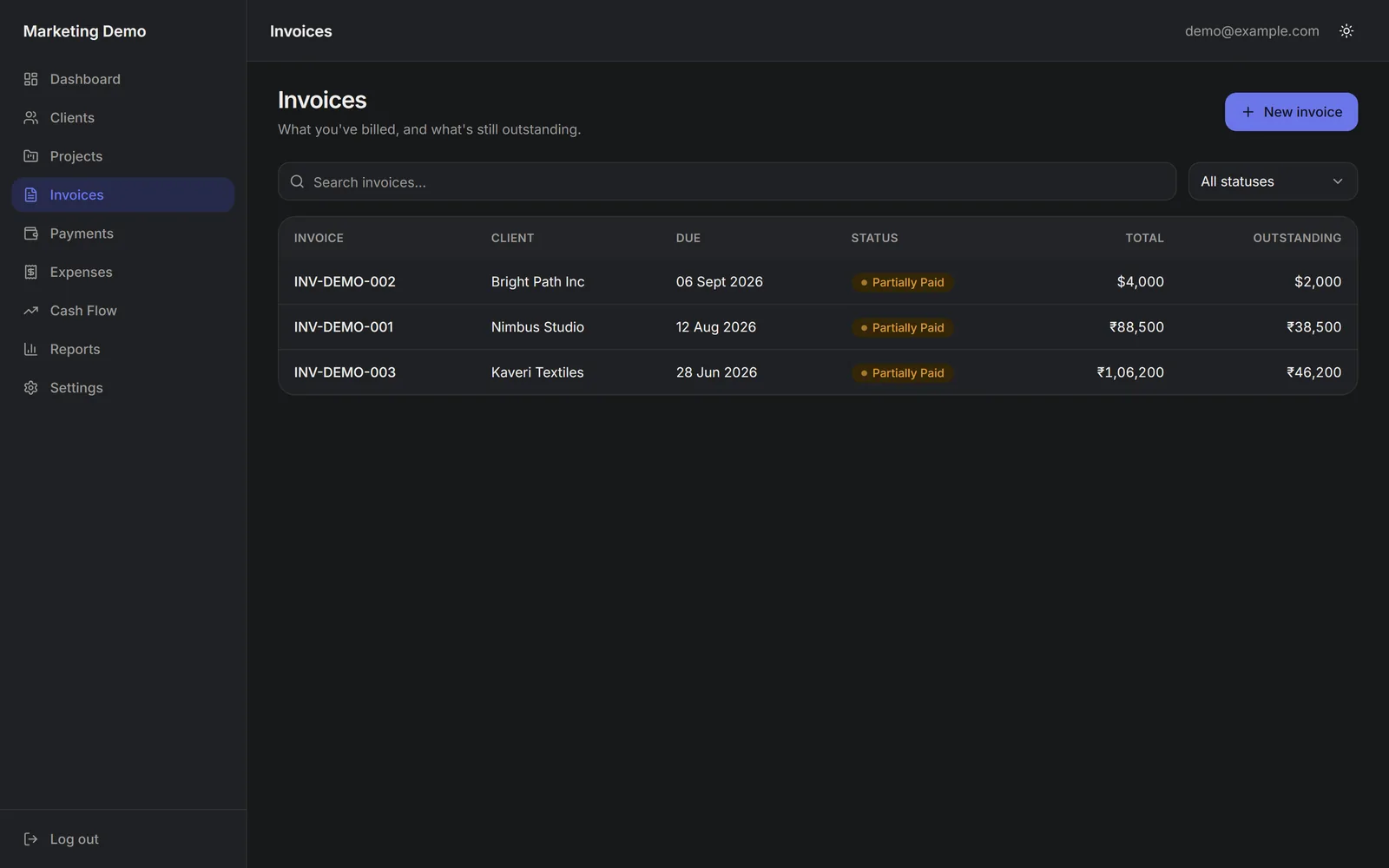
Create, edit and cancel invoices. Status (draft, sent, partially paid, paid, overdue, cancelled) is derived from payments and the due date — never stored as stale truth.
Payments
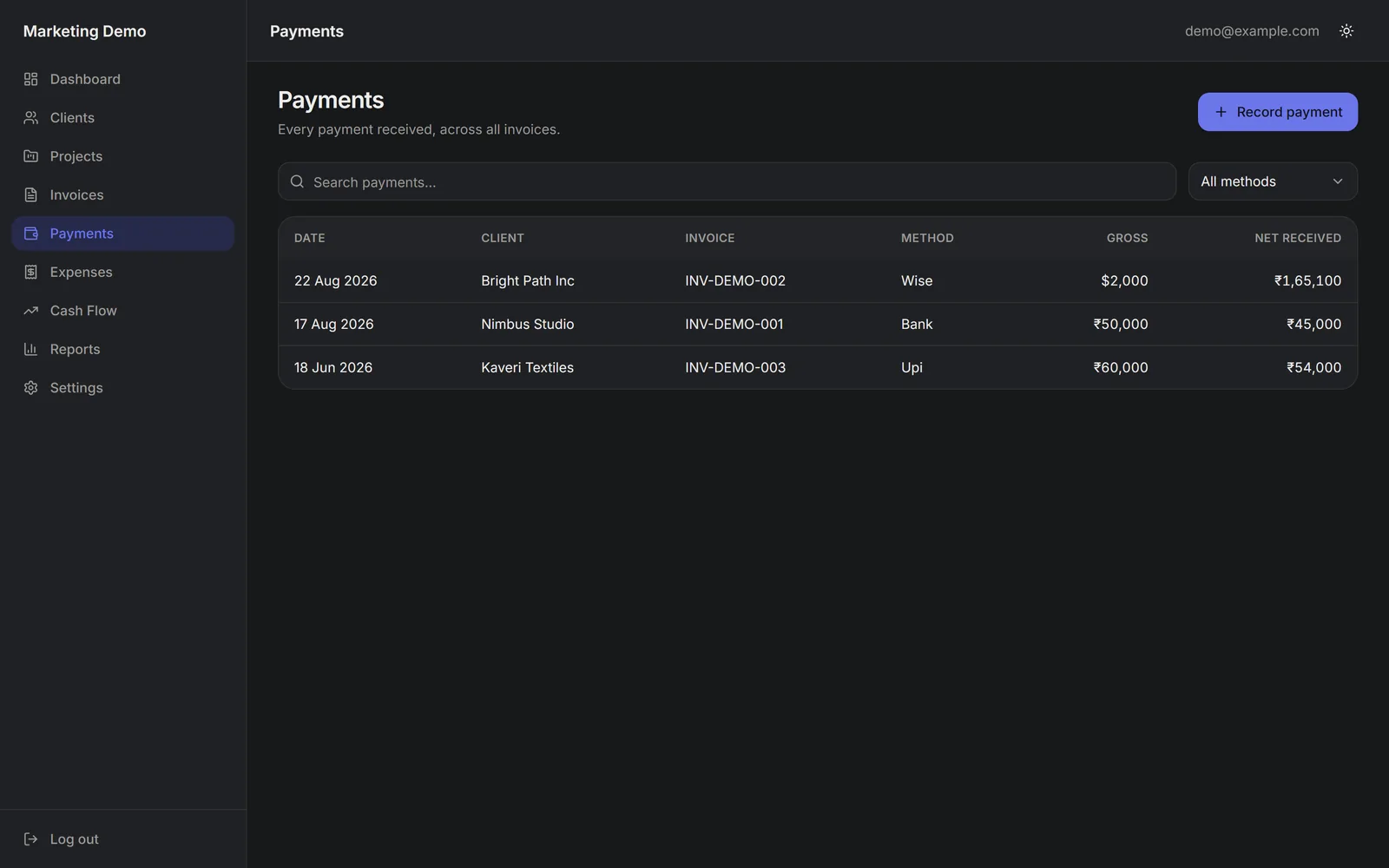
Multiple payments per invoice, seven payment methods, and full foreign-currency capture: currency, FX rate, gross, TDS, GST component, fees and net received.
Expenses
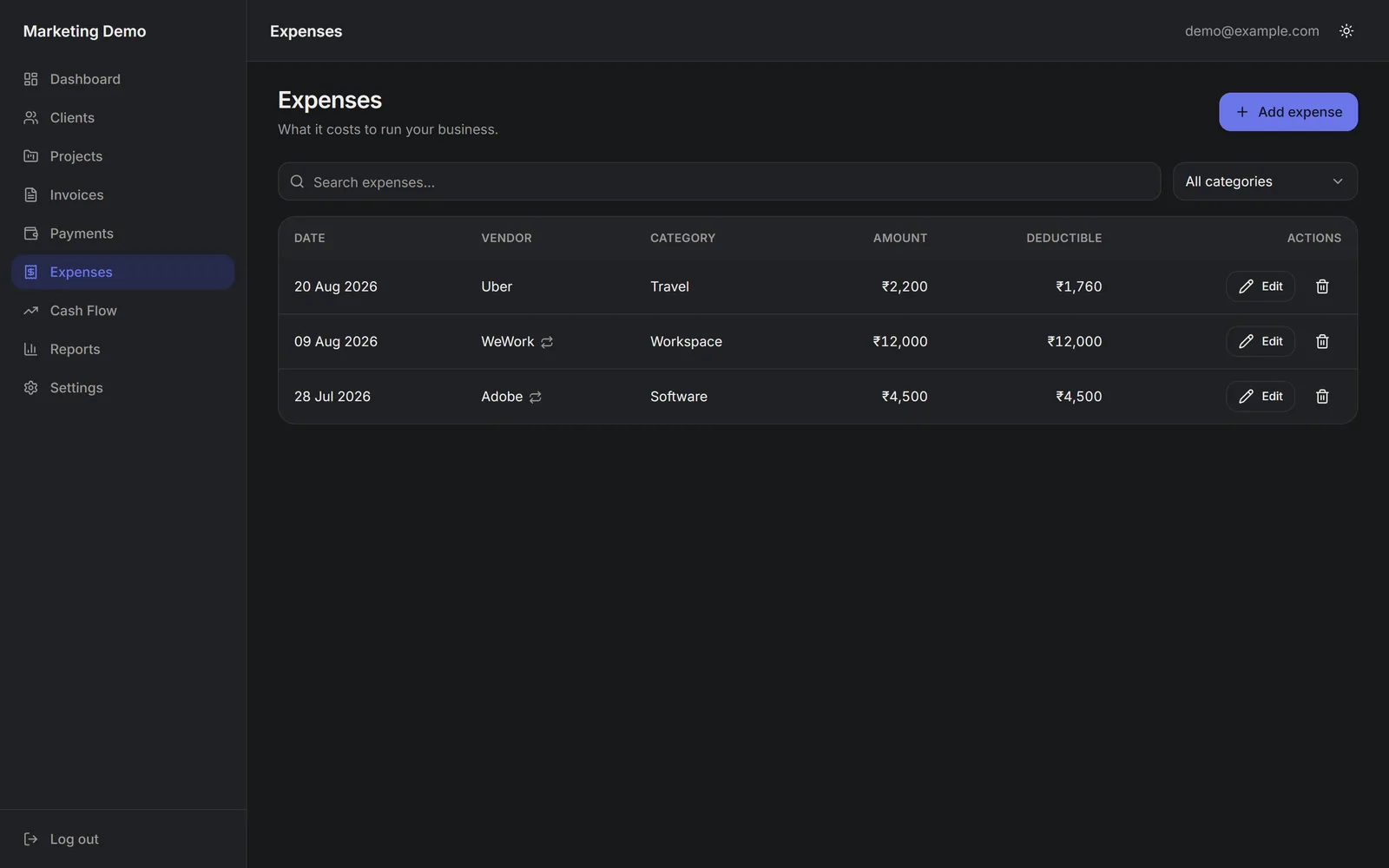
Categorised expenses with a business-use percentage and a deductible-amount estimate, clearly labelled as an estimate and not a tax determination.
TDS records
Record TDS deducted by clients per financial year with certificate references and a matched flag. Record-keeping only — no rates asserted by the app.
GST records
Per-record client country, supply type, GST treatment, taxable value and CGST/SGST/IGST split, with the required "confirm with a professional" disclaimer shown in-app.
Cash flow
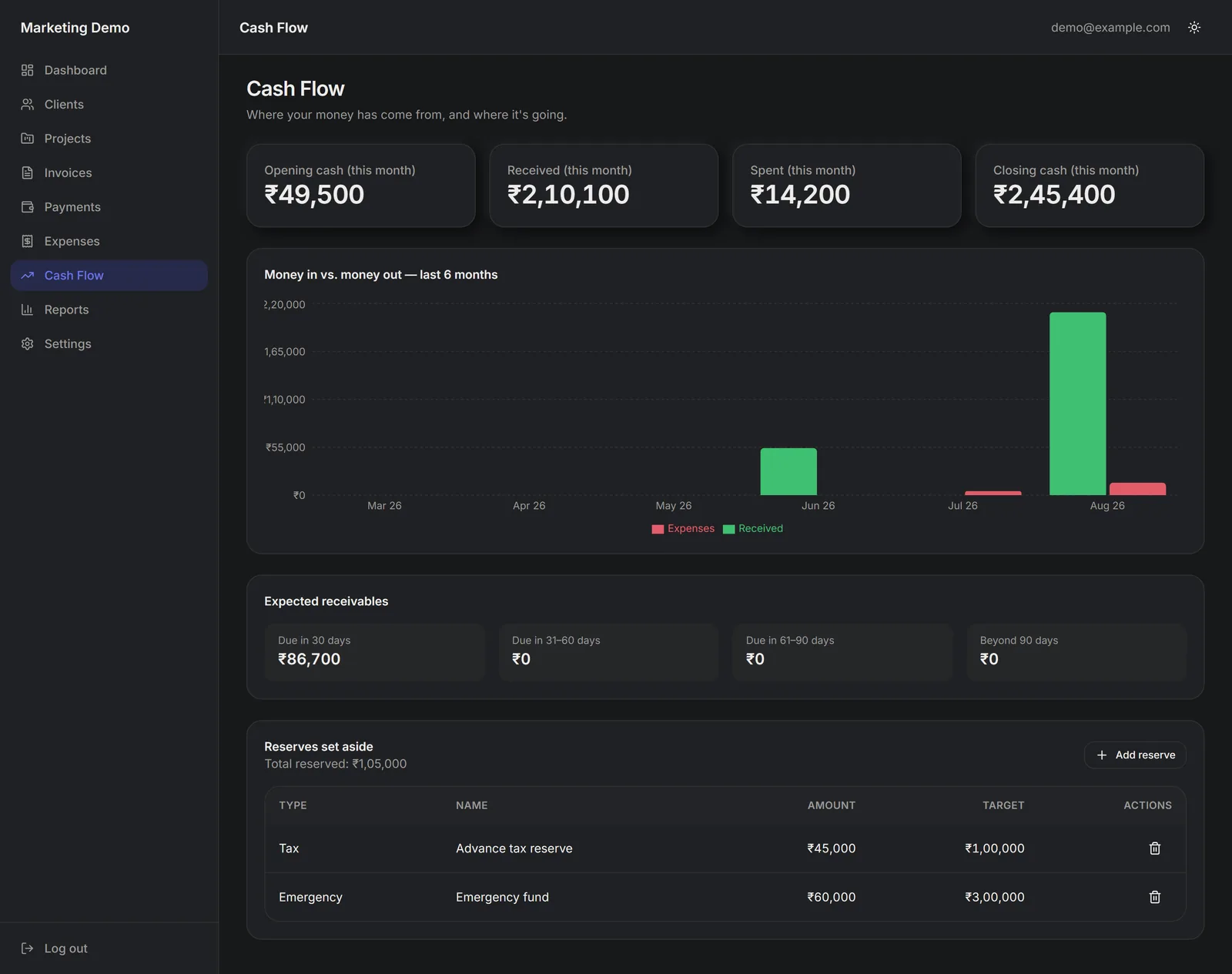
Opening and closing cash, a six-month money-in / money-out view, 30/60/90-day receivables aging and a configurable reserves list.
Reports & CSV export
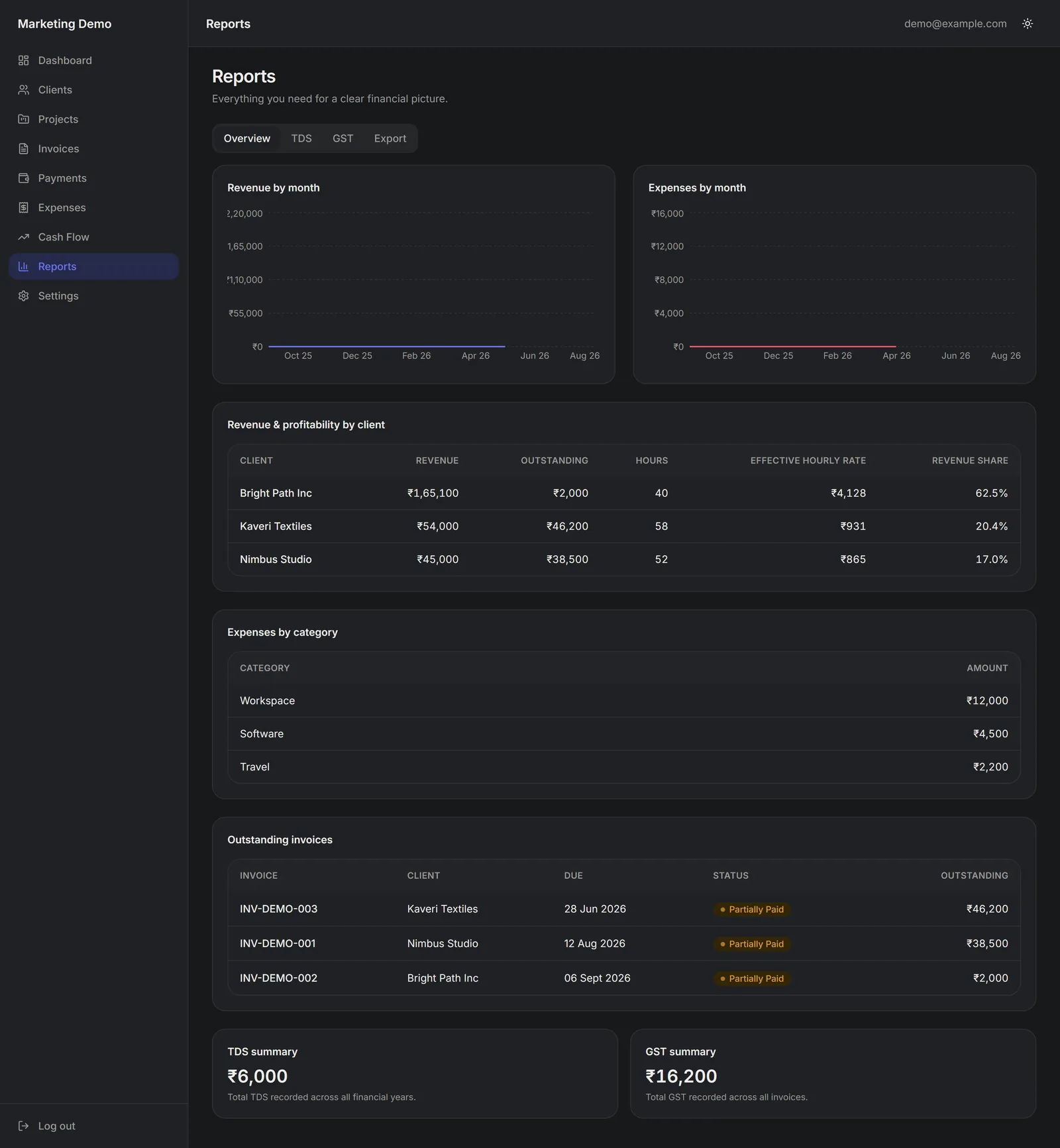
Revenue and expenses by month, revenue & effective rate by client, expenses by category, TDS and GST summaries, and CSV export for every major table.
Onboarding wizard
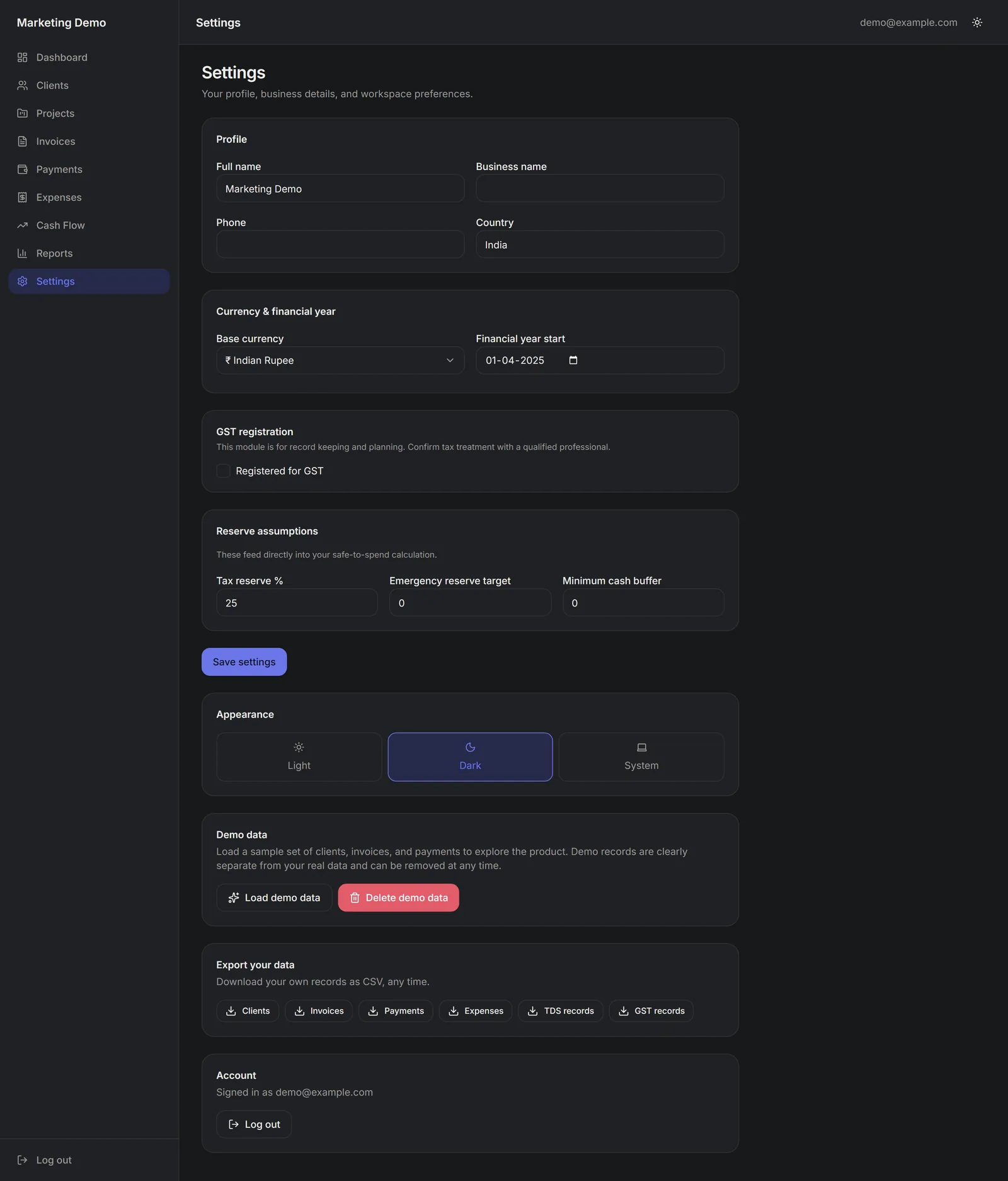
A skippable first-run wizard for business name, base currency, GST registration, financial-year start and reserve assumptions — all editable later.
Light & dark, mobile-ready
A responsive light/dark interface: full sidebar on desktop, bottom navigation on mobile, tabular-figure alignment for money.
SoloLedge deliberately does not include AI features, bank-account sync, automated tax filing, a payment gateway, team accounts or a native mobile app. It records what you enter and does the arithmetic on it.
Screenshots
The actual product
These are real screenshots of SoloLedge V1.0.0 running with demo data — not mock-ups. The product interface is its own; only this marketing site uses the JSinnovation black-and-orange styling.
Works on your phone
On mobile, SoloLedge switches to a stacked layout with bottom navigation, so you can check what you're owed and what you can spend from anywhere.

You receive
What's in the purchase
- SoloLedge V1.0.0 — complete source-code package (ZIP)
- One database migration file to create the schema
- Setup & deployment documentation (quick-start + full walkthrough)
- Feature inventory, database schema, environment and known-issues docs
- In-app demo-data loader to preview a populated system
- Commercial license terms and support policy
- 7 days of email setup support from the purchase date
Exact package contents are listed in the included RELEASE_MANIFEST.md.
You provide
What you bring
- Your own Supabase project (free tier is enough to start)
- Your own Vercel account, or an equivalent host you control
- A GitHub account for the smoothest deploy path (optional)
- Your deployment environment and environment variables
- Your own production data
- Any domain you want to point at your deployment
JSinnovation does not transfer or provide its own accounts, servers, databases or credentials. Third-party services are billed to you by those providers.
How it works
From purchase to using it
Purchase
Check out through SuperProfile. You get the SoloLedge package and documentation through the purchase platform.
Download
Download the source ZIP and the docs. Nothing is installed on your machine yet — it's a code package.
Deploy
Create your Supabase project, run the one migration, set your environment variables and deploy to Vercel (or your host). The guide covers every step.
Start using
Sign up on your own deployment, complete or skip onboarding, and add your first client — or load demo data to see it populated.
What deployment actually involves
- Create a free Supabase project
- Paste one SQL file into the Supabase SQL editor and run it
- Copy two keys into your environment variables
- Import the repo into Vercel and deploy
- Add your site URL to Supabase auth settings
- Sign up and go
Requires following a technical guide. It is not no-code and not one-click. Time depends on your familiarity with these tools.
Pricing
One payment. Yours to run.
One-time purchase of SoloLedge V1.0.0. No subscription, no per-user fee.
- Complete source-code package
- Full setup & deployment documentation
- Demo-data loader
- 7-day email setup support
Checkout, payment and delivery are handled by SuperProfile. Prices in Indian rupees.
The final price and any coupon are applied at the SuperProfile checkout. This page never processes payments.
Support
7-day setup support, by email
For the first 7 days after purchase, email us if you get stuck deploying. We help you get SoloLedge running.
Covered
- Installing and running the app from source
- Deploying to Vercel or an equivalent host
- Connecting and configuring your Supabase project
- Diagnosing errors from the deployment guide
Not covered
- Custom development or new features
- Ongoing maintenance after the 7 days
- Hosting or infrastructure management
- Tax, accounting, financial or legal advice
Full terms are in Support and the included docs/SUPPORT_POLICY.md.
FAQ
Questions, answered
Ready to take control of your freelance finances?
Get SoloLedge V1.0.0 and deploy it on your own cloud accounts.
SoloLedge V1.0.0 — one-time ₹2,399 ₹2,999 · 7-day setup support
Get SoloLedge — ₹2,399